Compared on published pricing and documentation · hands-on test in progress
Best leave management software
What each tool actually does, what it costs, and who it fits — from the vendors' own documentation and pricing, checked 15 September 2026. Including when a spreadsheet is still the right answer.
There is no single best tool, because the deciding factor is what you already run. If payroll is handled and you only need time off tracked properly, a dedicated tool like Leavo is cheaper and better at the job — and free under nine people. If you want leave payout to flow into a final paycheck automatically, pick a payroll-integrated system. If you employ across several countries, the problem is compliance, not leave, and you need a platform built for that.
Disclosure: some software links on this page are affiliate links. If you sign up through one, we may earn a commission at no additional cost to you. We only recommend tools we have set up and used, and commission never affects placement or verdicts.
Comparison at a glance
| Tool | Best for | Indicative cost | Payroll built in | Action |
|---|---|---|---|---|
| Leavo Our pick for small teams | Dedicated leave, time & shift tracking without a full HRIS | Free < 9 users · then ~$2.49–$4.15 / user / mo | No | Try free |
| Gusto | US small business wanting payroll + PTO in one | Payroll pricing | Yes | Visit |
| Deel | Teams employing across multiple states or countries | Per-worker pricing (quote-based) | Yes | Visit |
| BambooHR | 50+ employees needing a full HRIS | HRIS pricing | Add-on | |
| A spreadsheet | Under ~10 employees, one country, simple policy | Free | No |
The reviews
Leavo
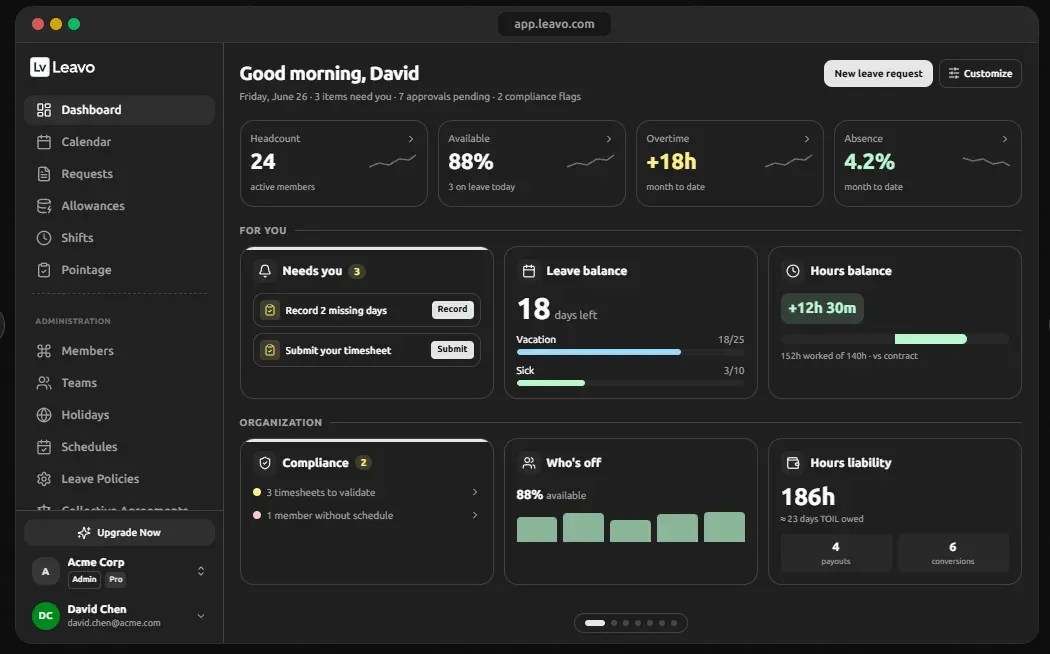
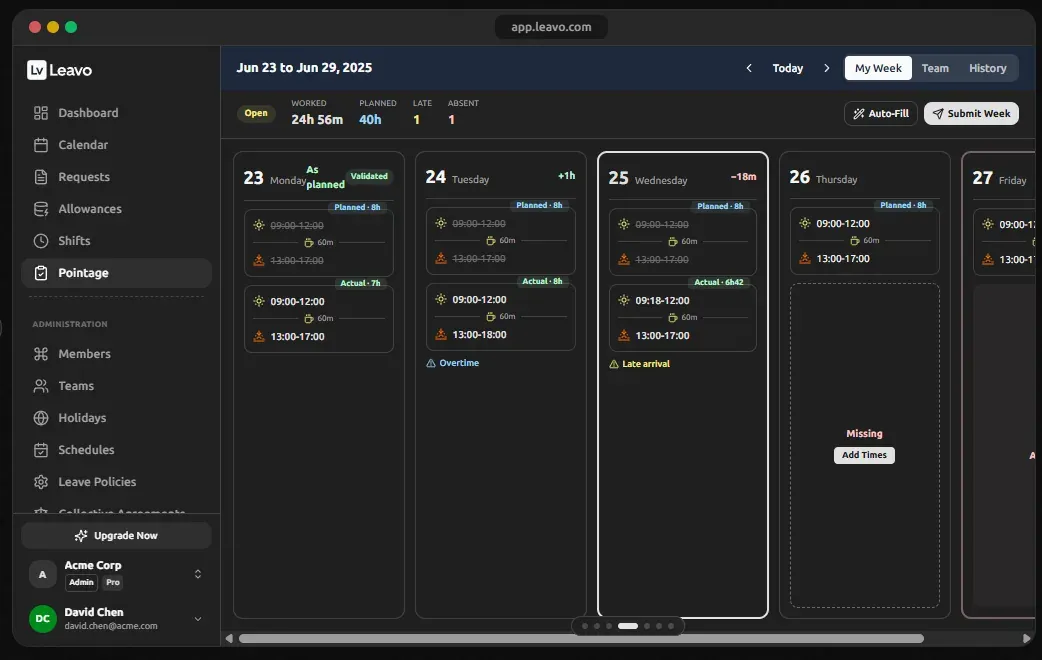
Best for: Small teams that want dedicated leave tracking without a full HRISPurpose-built leave, overtime and shift tracking with audit trails. Strongest fit when you already have payroll sorted and only need time off handled properly. Balances recalculate live; every approval and every edit is logged.
Strengths
- Overtime banking and hours balance
- Full audit trail on every approval
- 30-day trial, no card required
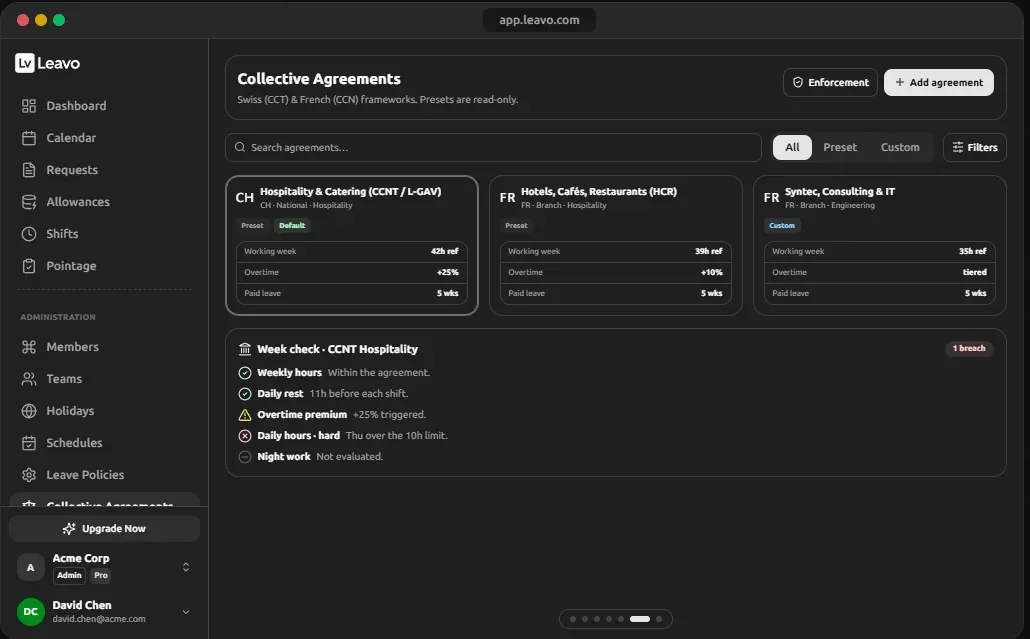
- Collective-agreement (CCT/CCN) presets
Limitations
- Not a payroll system
- US state-law automation is lighter than US-native HRIS tools
- Free forever for teams under 9
- 30-day trial, no card
- Swiss-made · SOC 2
- Multi-country holidays
Gusto
US small businesses that want payroll and PTO in one systemPTO tracking is bundled with payroll, so accruals and payout-on-termination flow into the final paycheck automatically. That matters in payout-mandate states.
Strengths
- Payroll + PTO in one place
- Handles final-paycheck payout
- Strong US compliance coverage
Limitations
- US only
- Leave features are simpler than dedicated trackers
Deel
Teams employing people across multiple states or countriesBuilt for the case where PTO is the least of your problems: different statutory leave, different payout rules and different payroll obligations per jurisdiction. Overkill for a single-state team.
Strengths
- Handles multi-country leave entitlements
- Payroll, contracts and compliance in one
- Scales to international hiring
Limitations
- Expensive for a single-state team
- Far more product than a leave tracker
BambooHR
Companies past ~50 employees that need a real HRISTime-off is one module of a full HRIS. Overkill if leave tracking is your only problem.
Strengths
- Complete HRIS
- Good reporting
Limitations
- Priced as an HRIS, not a leave tool
Honest bit
When you should not buy anything
Under about ten employees, in a single country, with a simple policy and no carryover cap, a shared spreadsheet genuinely is fine. The honest trigger to buy is not headcount — it is when any one of these becomes true:
How we compare
Today's comparison rests on each vendor's published documentation, pricing pages and programme terms, checked on the date at the top of this page. We do not claim hands-on results we have not produced. A like-for-like test is in progress — every tool configured with the same policy (20 days annual accrual, a five-day carryover cap, a two-step approval chain, one mid-year pay change) and scored on setup time, carryover timing, audit-log integrity and the balance export. As each tool goes through it, its review will say so and show the results. Full methodology.
Common questions
What is leave management software?
Leave management software tracks time-off requests, approvals and balances automatically. It applies the accrual and carryover rules from your policy, keeps an audit trail of who approved what, and shows a shared calendar of who is off when.
When is a spreadsheet no longer good enough for leave tracking?
Usually around ten employees, or sooner if you employ people in more than one country or US state. The break point is not headcount but rule complexity: a spreadsheet cannot express different carryover caps per jurisdiction, and it has no audit trail to prove what a balance was on a given date.
Do I need dedicated leave software if my payroll system already tracks leave?
Often not. If payroll already applies your accrual rules correctly and handles payout on termination, adding a second system creates two sources of truth. Dedicated tools earn their place when you need shift planning, overtime banking or approval workflows that payroll does not offer.
How much does leave management software cost?
Dedicated leave tools typically run $2 to $5 per user per month. Leavo is free for teams under nine people; its Professional plan is $448 a year for 15 members, about $2.49 per user per month, and Premium is $747 a year, about $4.15 per user per month. Full HRIS platforms cost considerably more because leave is one module among many.
Does leave management software handle statutory leave rules automatically?
Partly. Most tools let you configure accrual, caps and carryover per policy group, which is how you encode different national or state rules. Very few apply a statute automatically, so the setup still depends on you knowing the rule. Check the country or state guide first.
Next steps
- Check your country's statutory entitlement before you configure any tool.
- US employer? Check your state's payout rule.
- Work out your accrual rate so you can verify the software agrees.
Free for teams under 9 · No card · Cancel anytime